I'm a technology addict, so I admittedly love a good bit of ed-tech in my classroom. Sometimes other teachers in my school aren't as interested in things I'm using because the technology is hard to manage. I've got to say, though, this ed-tech is SIMPLE and 100% free. It's a student response system that uses an app on your smartphone and some free printable response cards. Optionally, you can display the question via a projector to a screen or smartboard.
To use plickers, you have to enter questions into your library on their website. You can select a "correct" answer or just enter the responses to poll the students.
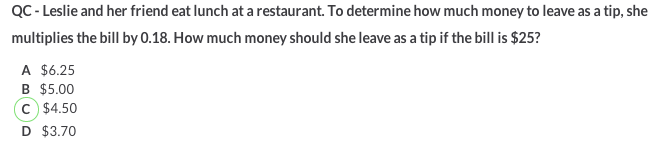
The screenshot above is from my account's "library" where I can assign the questions to my class. Once it is assigned, I can easily access it from the app. Select the class name, and click on the question you would like to ask. The question can be displayed on the projector as the class responds, as well.

Whatever question you select from the mobile app will show in the "live view" section of the website when you log in. More on that in a minute.
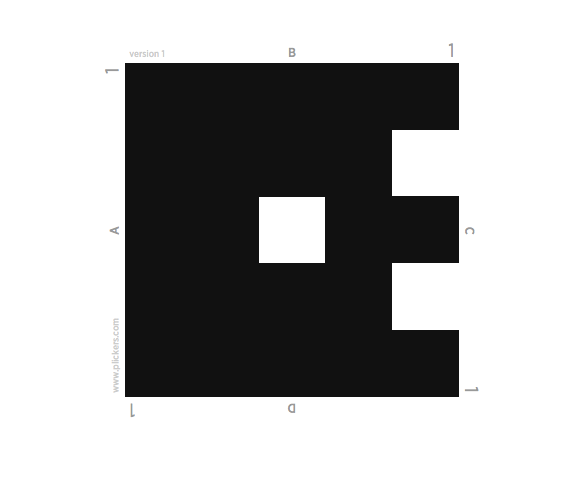
The standard student response cards are the size of half a sheet of paper, but larger ones are available. Each card displays the student number (this card is number 1) and has 4 choices for responses: A, B, C, D. The kiddos select their answer and hold the card with that letter facing up. In the card above, the answer being selected is "B." The letters are itty bitty and in a light font to ensure that kiddos can't copy each others answers, and that kids are not afraid to answer honestly. No one will know if they don't get it correct.
To record the responses, you open the app from your phone. Have the kiddos hold up their cards and scan the room with your phone. No need to walk around the room and scan them all up close- if you can see if, it will pick it up within a reasonable distance. In my classroom, which is fairly large, I am fine to stand at my spot and scan the room with the app. Once I start scanning, the student names highlight showing they have responded. If you are showing the liveview on the projector from the website, it shows what students have responded with a checkmark (without confirming their answer or if it was correct). I LOVE this because the kids can be sure that their answer was recorded! You can also optionally have their answers shown on the liveview, but that wasn't something I thought I'd use.
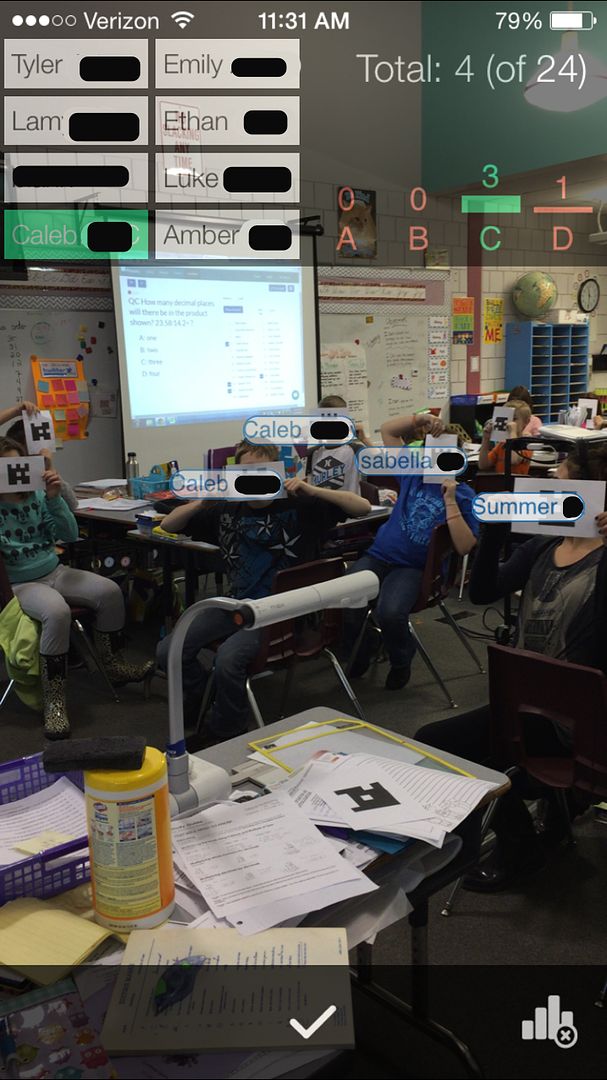
The app (screenshot above) also shows me which students have responded by highlighting them. It also shows the student response graph as we are working in real time. If a student responds correctly their name is highlighted in green, but if they respond incorrectly it is highlighted in red. This allows me to wander around the room and ask students to check their answers. It also begins building the student response graph in real time! You can see the breakdown of student responses as they come in.

After the students are finished responding, you can view the completed graph in the "reports" section of your online account. This is the graph of the student responses after I asked my kiddos if they liked plickers. I told them to be honest because we could stop using them if they weren't fans. This is just after one use, but so far the plickers are a win!
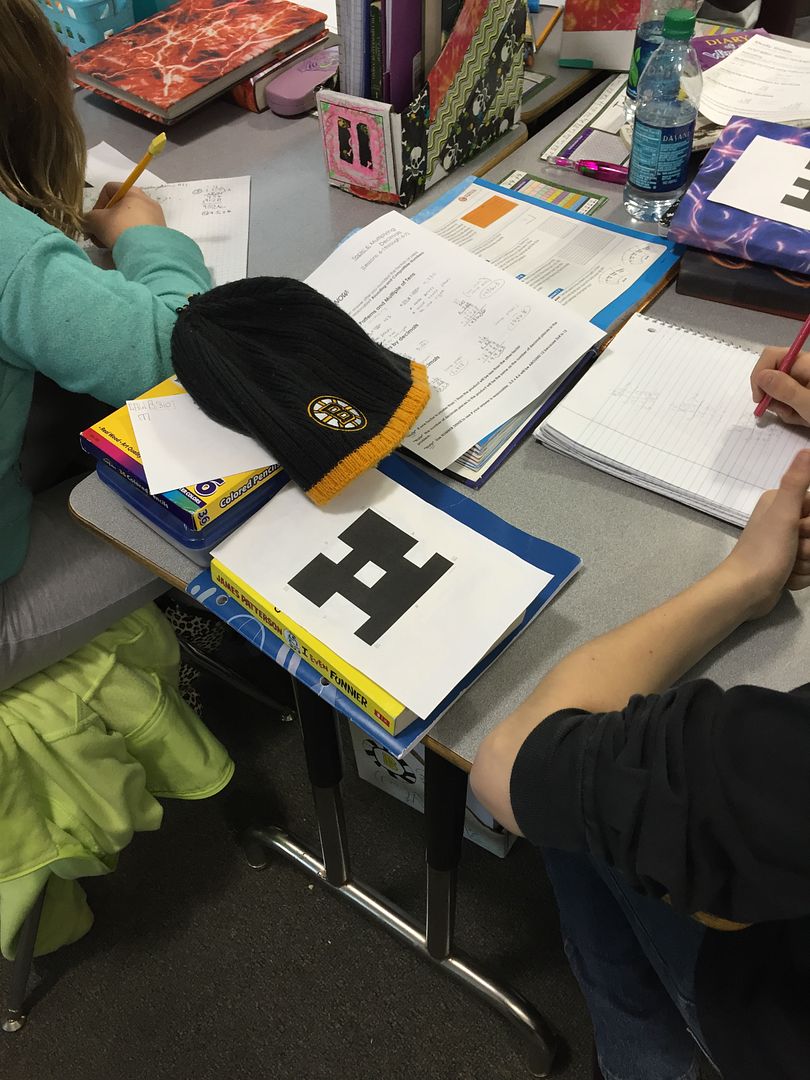
I printed the plickers on cardstock and have the kiddos keep them on their desks while they work. I have had a couple of my more organizationally challenged friends misplace them, and I think I am going to have the kids glue them inside their notebooks. You can't lose them, that way!
I've found a few different benefits to using these in my classroom. I often give quick checks to my students to check their progress. I like the immediate feedback that a 2 - 3 question assessment gives at the end of a lesson, or the beginning of the next day. I don't like to use these for grades, necessarily, but I do like to record progress. The plickers help me to see how the kiddos are doing and record their answers quickly without having to grade and record all those papers. LOVE this.
I also love the fact that they get the students excited to complete their work. They are itching for the opportunity to use their plickers! They are definitely excited to give their answers. I did find that this was a double edged sword, though. They were rushing and not checking their work to make sure they could answer the questions at the same time as everyone else. To solve this, I started giving worksheets with the "quick check" questions for the kiddos to answer. Once we are all done our work, we pull out the plickers and answer all the questions.
I also like to do "polls" among my kiddos to see their thoughts on a topic, assess their feelings about their understandings, and quickly see how they performed on classwork or homework. We used to do "heads down, eyes closed votes" where I have each kiddo raise his or her hand at the appropriate time for how they feel or what their score was. It was kind of hectic copying down all their responses! Now, I can use the plickers and have it recorded for me. Talk about a time saver!
Seriously- I don't think I've found a 100% free with no option to pay more for something extra app that has been loved by both me and my kiddos before EVER. You can tell I mean it because I used italics, capital letters, and underlining in that sentence. It's that serious. You can learn more and sign up for a free account on their website.